> ## Documentation Index
> Fetch the complete documentation index at: https://www.edgee.ai/docs/llms.txt
> Use this file to discover all available pages before exploring further.
# Single sign-on (SSO)
> Connect an OIDC identity provider and verify sign-in for an organization member.
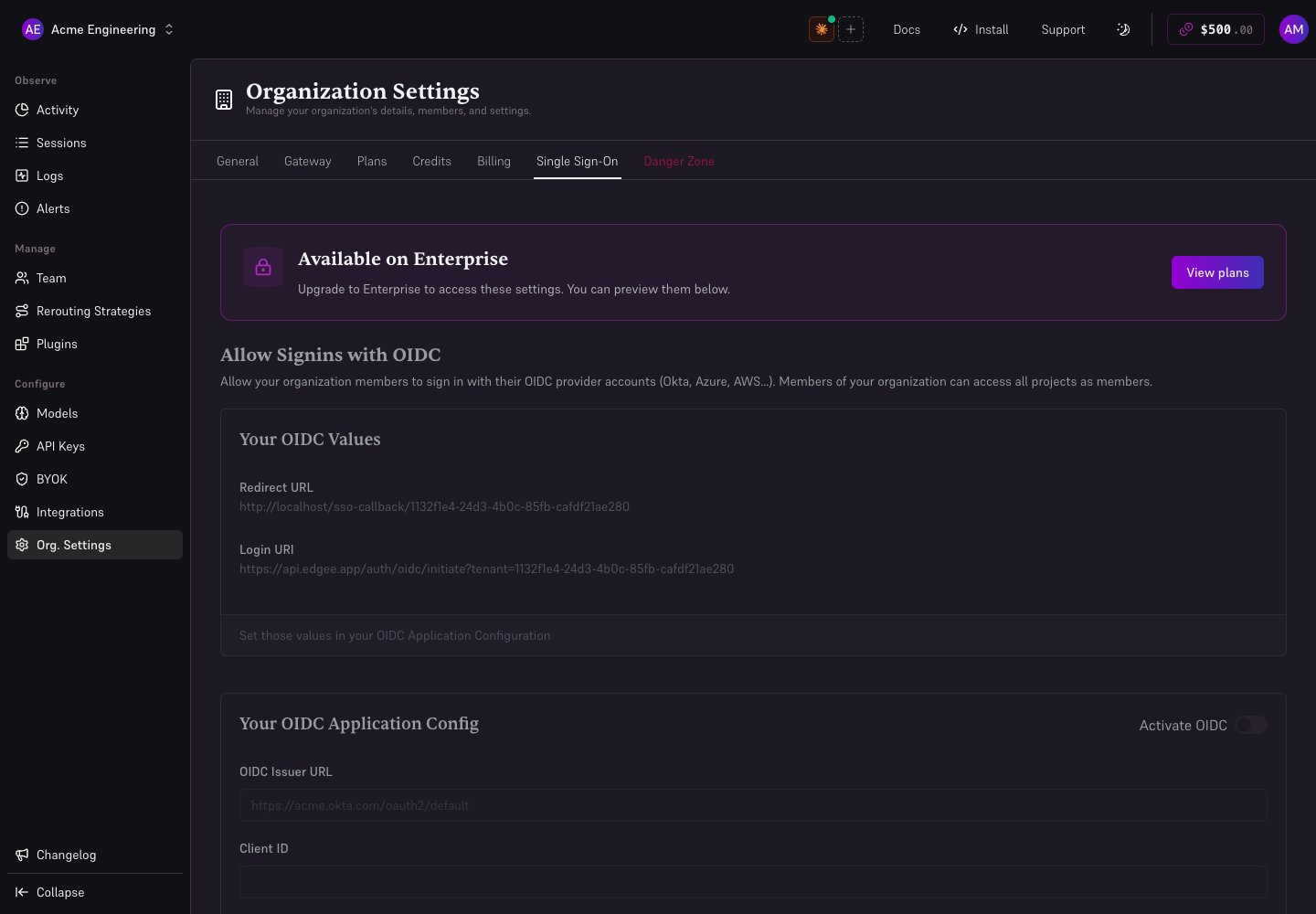
An administrator can configure OIDC from **Org. Settings → Single Sign-On** when the organization plan includes access. Keep an existing administrator session open while testing a new configuration.
Create an OIDC application for Edgee. Have its issuer URL, client ID, and client secret ready. These are provider application credentials, not an Edgee API key.
Open **Single Sign-On**, activate OIDC, and fill **OIDC Issuer URL**, **Client ID**, and **Client Secret**. Save with **Submit**.
Copy the console's **Redirect URL** and **Login URI** from **Your OIDC Values** into the corresponding application settings at the identity provider. Copy the values exactly; do not guess them from your organization slug.
In a separate browser session, use the Login URI with a test member authorized by your identity provider. Confirm the returned account can access the intended Edgee organization with the intended role.
 ## Troubleshooting
| Symptom | Check |
| ------------------------------------------- | ------------------------------------------------------------------ |
| Controls disabled | Administrator role, plan access, and Activate OIDC |
| Provider rejects the callback | Exact Redirect URL, including scheme, host, and path |
| Issuer discovery fails | Issuer URL is the OIDC issuer, not the provider's general homepage |
| Authentication succeeds but access is wrong | The identity's organization membership and role |
Do not assume enabling OIDC revokes other login methods or provisions every company member. Verify the behavior required for your rollout with your administrator. See [organization access](/docs/features/organization).
## Troubleshooting
| Symptom | Check |
| ------------------------------------------- | ------------------------------------------------------------------ |
| Controls disabled | Administrator role, plan access, and Activate OIDC |
| Provider rejects the callback | Exact Redirect URL, including scheme, host, and path |
| Issuer discovery fails | Issuer URL is the OIDC issuer, not the provider's general homepage |
| Authentication succeeds but access is wrong | The identity's organization membership and role |
Do not assume enabling OIDC revokes other login methods or provisions every company member. Verify the behavior required for your rollout with your administrator. See [organization access](/docs/features/organization).