

1
Create an application in your identity provider
Create an OIDC application for Edgee. Have its issuer URL, client ID, and client secret ready. These are provider application credentials, not an Edgee API key.
2
Enter the provider configuration
Open Single Sign-On, activate OIDC, and fill OIDC Issuer URL, Client ID, and Client Secret. Save with Submit.
3
Configure the callback
Copy the console’s Redirect URL and Login URI from Your OIDC Values into the corresponding application settings at the identity provider. Copy the values exactly; do not guess them from your organization slug.
4
Test a member login
In a separate browser session, use the Login URI with a test member authorized by your identity provider. Confirm the returned account can access the intended Edgee organization with the intended role.
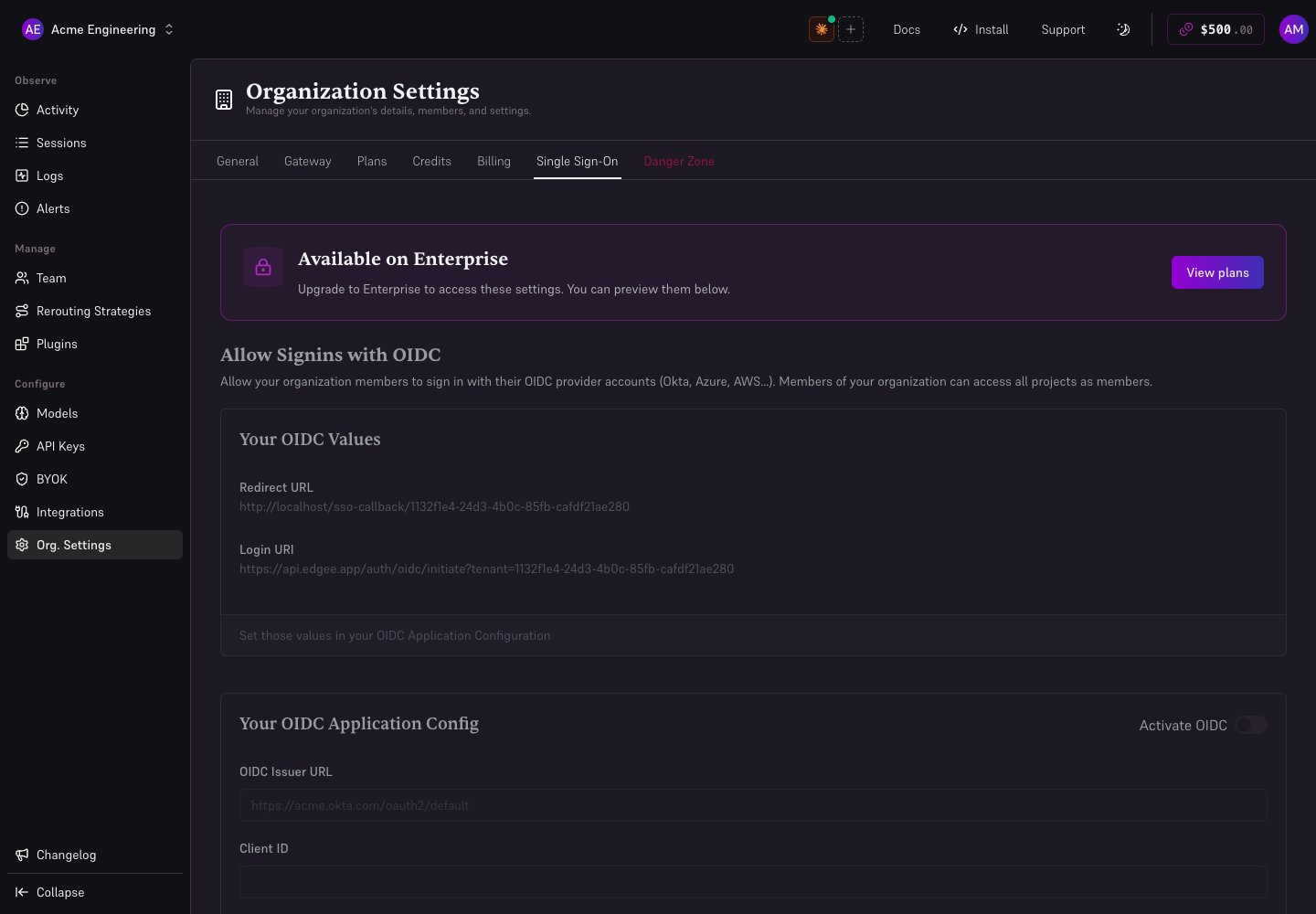
Local demonstration with fictional members and illustrative usage data.
Troubleshooting
Do not assume enabling OIDC revokes other login methods or provisions every company member. Verify the behavior required for your rollout with your administrator. See organization access.