

1
Install Edgee
- macOS / Linux
- Homebrew
- Windows PowerShell
edgee --version. If the command is missing, reopen your terminal before continuing.2
Launch your harness through Edgee
Your harness is the coding tool you already use, such as Claude Code, Codex, OpenCode, or Cursor. Edgee launches that tool and routes its model requests through the gateway. Keep working in the same tool; inspect its usage in Edgee.With aliases installed, keep using your usual terminal command. For example, Run
claude now launches Claude Code through Edgee. You can also use edgee launch <harness> explicitly. Both paths use Edgee.- Terminal harnesses
- Editors
Run your chosen harness from your project directory:
Pass your usual arguments after the command, for example
claude --resume or edgee launch claude --resume.edgee launch --help for all targets available in your installed version. Install the harness itself before launching it through Edgee.On your first launch, Edgee starts sign-in automatically if needed. Complete it in the browser, return to the terminal, and select your organization when prompted. If your company invited you, accept the invitation using the same account first.Ask a small question, such as “Explain the purpose of this repository.” Let the harness complete at least one model request before checking the session.3
Verify the session
Open the console, select the same organization, and open Sessions. Find your recent session and check its agent, requests, model usage, and cost.After the agent exits, use the report link printed by the CLI or run
edgee stats. A launch with no model traffic may have no session report. See Troubleshooting if you cannot find it.Edgee works with your existing Claude, Codex, and Cursor subscriptions. Keep your subscription when launching your assistant through Edgee.
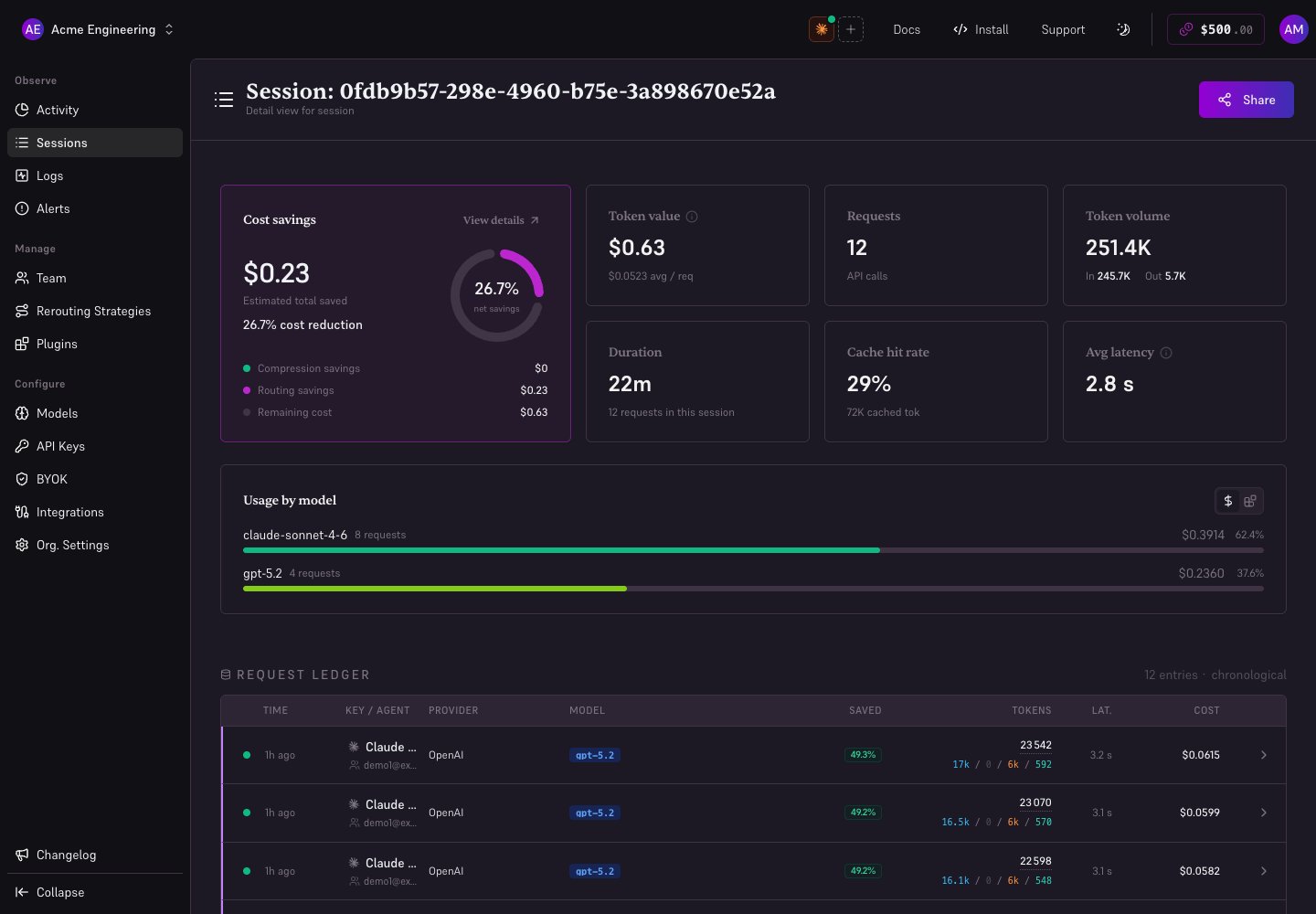
Local demonstration with fictional data.
Remove aliases
To restore your usual commands without Edgee:edgee launch claude. See Aliases and desktop shortcuts for per-agent setup and removal.
Next steps
- Use the CLI day to day: profiles, settings, aliases, and updates.
- Read a session: requests, savings, and sharing.
- Deploy to a team: invitations, squads, and routing budgets.
- Choose another integration: connect an editor or use the integration pages in the sidebar.